Business systems D05
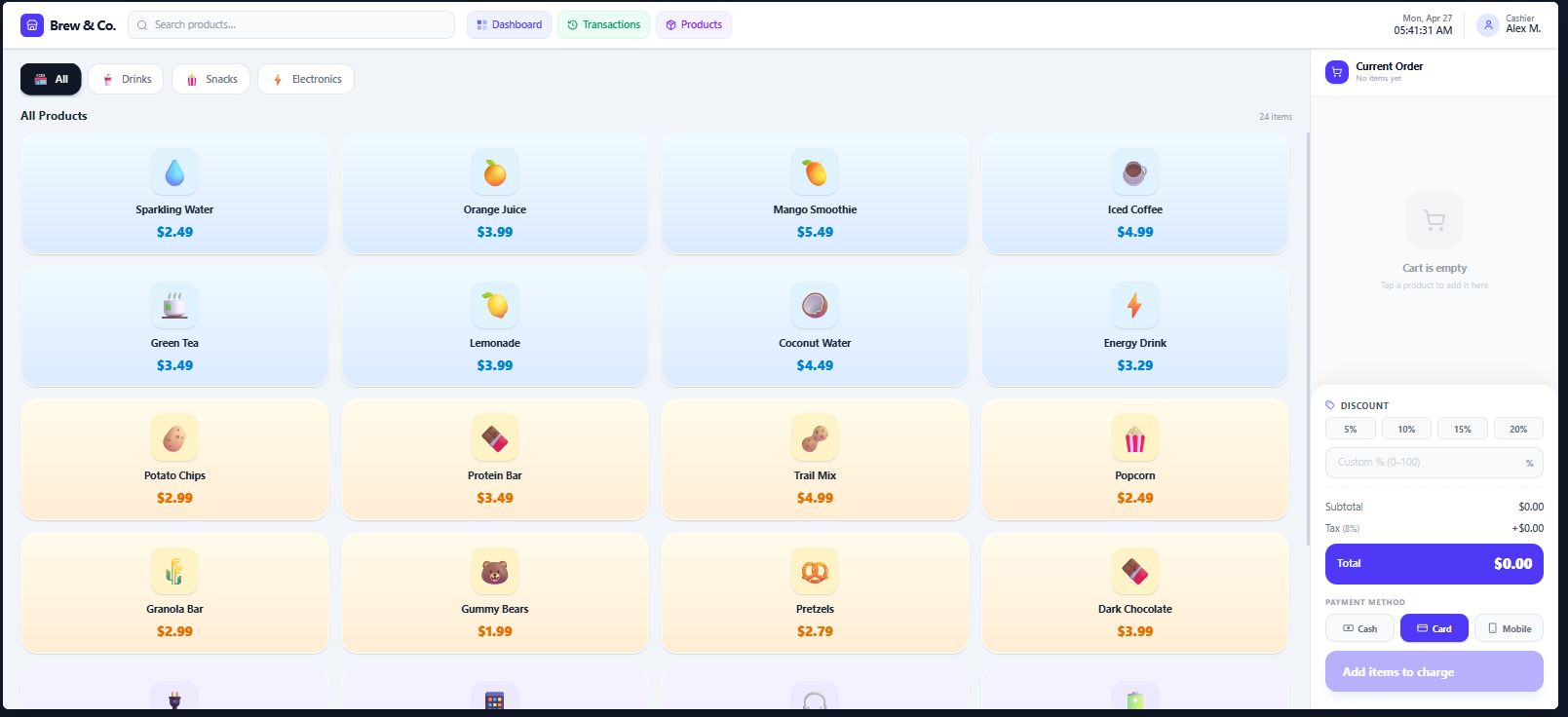 Browser POS sales and receipt demonstration
Supplied product screens · sample data
Develop PC tools, device connections and offline workflows for your operating environment
Review equipment, file and operating-system constraints, then separate the UI from long-running work. Include installation, updates, diagnostics and field recovery.
Before listing features, we define the inputs, decisions and next actions in a real working situation.
An illustrative scenario. Specific processing rules are agreed for the project.
An operator records work while offline.
Show local save status and synchronize on reconnection
When work depends on connected devices or unreliable networks
Specific features, integrations and operating support are agreed in the project proposal
See the scope, role and supplied interfaces for each project
Details for technical reviewers. Architecture and acceptance criteria are agreed for the actual environment and project scope.
Separate the business interface from device I/O. Protocol adapters decode device frames; a local service preserves job records before synchronizing them with a central API.
Concrete design decisions and acceptance scenarios to agree for the project.
ImplementationFrame parser, ACK, and command replay policy
ValidationPartial reads, checksum errors, and mid-command disconnect
ImplementationJob IDs, atomic writes, and unsent queue
ValidationRecover the last committed job after power loss
ImplementationSigning, schema version, configuration migration
ValidationInterrupted installation and recovery to the prior version
Technology choices and acceptance criteria depend on discovery, integrations, and agreed scope. We define reproducible acceptance scenarios and handover evidence for the operating environment.
From visible features to failure conditions,
we work through the decisions before launch.
Separate transport from the device message format. Put framing, length fields, delimiters, checksums, byte order, and partial reads in protocol adapters, with I/O off the UI thread. Commands have request IDs, ACK/NACK interpretation, and timeouts. Distinguish commands that can be resent from operations where duplication could trigger a physical action twice.
Commit job ID, device ID, timestamp, and result locally, tracking synchronization separately. Recover unsent records after network loss or process restart. Central unique constraints and reconciliation checks absorb duplicates. Account for device-clock drift and reordered events instead of assuming arrival order is execution order.
Specify the boundary between system services, user processes, and administrative installation, including runtime and driver dependencies. Prepare signed packages, configuration migration, schema versions, and recovery after an interrupted update. Where remote deployment is prohibited, use an offline package and operator-controlled installation procedure.
Use simulators alongside real-device tests for fragmented packets, corrupt frames, delayed responses, disconnected cables, and device reboot. Check that job state remains understandable after low disk space, forced shutdown, or denied permissions. Operational logs capture correlation IDs, diagnostic codes, and recovery state instead of sensitive payloads.
Understand your goals, workflows, and operating environment.
Define features, priorities, and integration requirements.
Build the agreed scope and review progress together.
Prepare testing, deployment, and operational handover.
Tell us what you want to build or improve
Our team will review your request and reply by email